
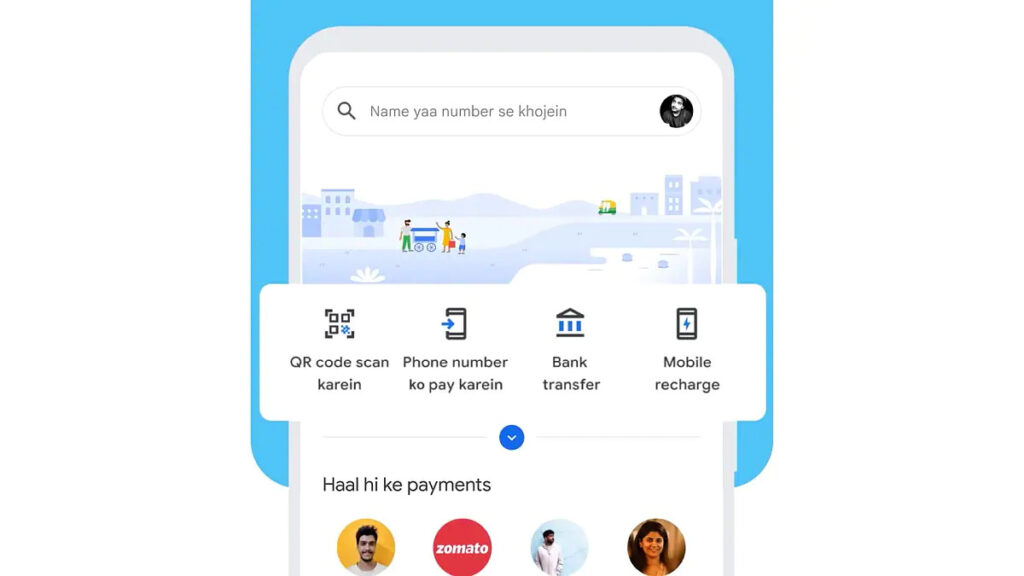
The tech giant has added Hinglish language to GPay which is a UPI-based payments app. Google announced the Hinglish language support along with other announcements in an event that happened a couple of months ago.
Google Pay now supports around 10 different languages support including Hinglish, English, Hindi, Bengali, Gujarati, and Marathi, among a few others. It is easy to set up a GPay account in the Hinglish language. Here’s a step-by-step guide on how to change Google Pay language to Hinglish
First, you need to update the GPay app to the latest version via Apple App Store and Google Play Store. Once the GPay app is updated, follow the steps mentioned below:
Step 1: Open the GPay app, at the top right corner of the screen click on the profile icon.
Step 2: Head to the Settings menu
Step 3: Click on the Personal info option
Step 4: You will be able to see the Language option
Step 5: You can select the desired option from the list, and click on Hinglish language. Once the Setting is changed, the language will be changed to Hinglish.
By adding Hinglish language support, the tech giant aims to attract more users, especially from smaller cities to the platform. Following the same process, users will be able to change the language to any other they want.
Among the 10 different language support, 6 cover different regions. The 6 regional language support offered by G Pay includes Kannada, Bengali, Gujarati, Marathi, Telugu, and Tamil.