
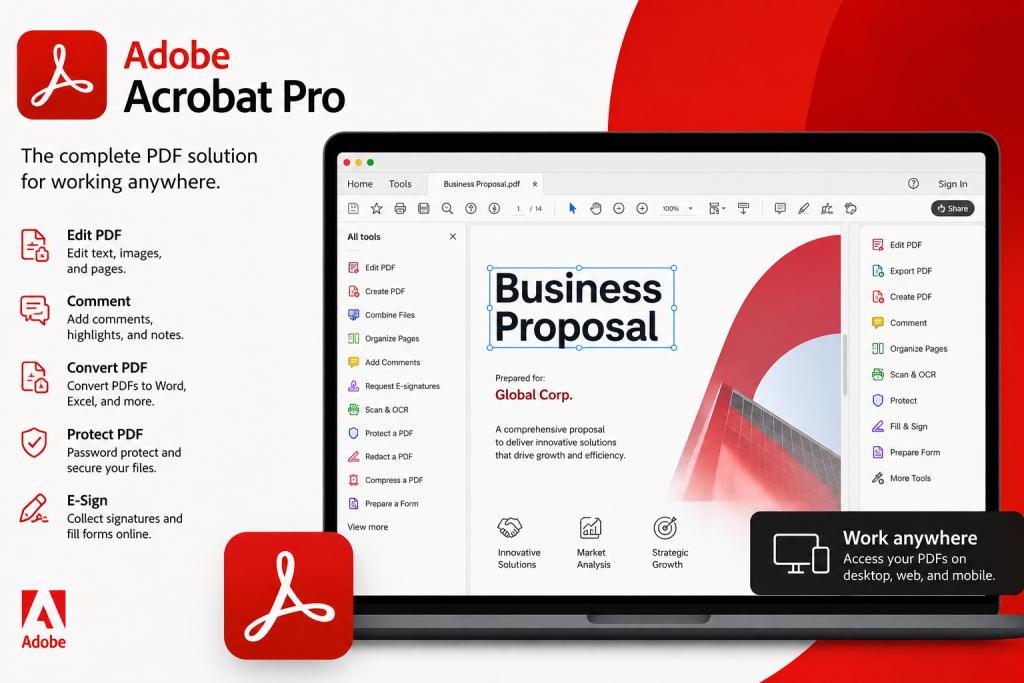
People do a lot of work with documents. People need software to create, change, sign, and share PDF files. It is a software program for working with PDF documents. This software program has a lot of features that make it easy to edit text and change files, sign them and keep them safe, and work with others on PDF files.
When users think about using Adobe Acrobat Pro, they usually want to know its price and how it works. They try to be sure that it has all the required features. To make use of all the available features, users have to subscribe to the service, which will give them access to all the available features. It is a PDF document management tool.
Adobe Acrobat Pro Price
The Adobe Acrobat Pro price in India changes depending on the plan you select and how you make the payment. It usually offers two types of plans that you can choose based on what you need.
The price in India is going to be different because of the way prices are set, the deals they have, the taxes, and the kind of plan you choose. You can choose either a plan for yourself or a plan for your business depending on what you want. Most businesses like to get the plan because it gives them all the features and updates all the time. You should check the price before you buy it.
Adobe Acrobat Pro Subscription Options
An Acrobat Pro subscription gives users access to advanced PDF editing, conversion, protection and e-signature features for the duration of the subscription. The subscription ensures that users get all the updates, security fixes, and improvements.
The subscription for this tool will be good for the following:
- Managing documents in companies
- Managing work related to contracts and reports for experts
- Teaming up on documents with Teams
- Advanced PDF editing for professionals
Also, a good subscription will give users access to the cloud.
Adobe Acrobat Pro Features
Acrobat Pro is useful for users who regularly edit, convert, sign, or protect PDF files. Some things this software can do include the following:
- Edit PDF Documents
You can change the text, pictures, and how things are laid out in a PDF file. This is helpful when you need to make changes fast and you do not want to change the file type.
- Convert Files into PDF
It lets you turn Word, Excel, PowerPoint, and other types of files into PDF files that look great. You can also turn PDF files back into files that you can edit when you need to.
- Electronic Signatures
You can add your signature to documents. This helps companies finish agreements and contracts faster because they do not have to print out papers.
- PDF Security and Protection
It has features that help keep documents safe. You can add a password, control who can see the file, and remove sensitive information before you share it.
- Document Comparison
You can look at two PDF files. Find the differences right away. This is useful when you are looking at contracts, reports, and business documents that have been updated.
- Cloud Storage and Collaboration
Adobe Acrobat Pro provides cloud-based access so users can view, manage, share, and work with PDF files across supported devices.
- Mobile Access
You can manage your PDF files on your phone or tablet, which makes it easier to handle documents when you are not in the office. It is helpful for people who work with PDF files a lot.
Benefits of Using Adobe Acrobat Pro
Adobe Acrobat Pro has a lot of tools that make it easy to manage documents. It helps people make, change, put and keep their PDF documents safe. It is good at helping people get things done faster and making sure their documents look good and are safe.
It provides several benefits for users who regularly work with PDF files:
- Easy PDF editing and management
- Faster document sharing and collaboration
- Keeps your files safe
- Digital signature support
- Professional document creation
- Regular updates and security improvements
- Better productivity for businesses and teams
Why Choose Adobe Acrobat Pro?
Acrobat Pro is mainly useful for professionals who need advanced PDF editing, e-signatures, document comparison, and security controls. Has a lot of advanced features that are very useful. It also has some security options. This is helpful because it saves users time. They do not have to do a lot of paperwork, which’s a big plus.
For businesses, it is a good idea to get a real subscription. This way they can use all the features. Get updates from Adobe. They will also get support. If the organisations purchase this software from the authorised Adobe reseller, then they will receive assistance in selecting the best suitable package for their business. It is one of the solutions for business, as it provides all the tools for dealing with documents.
Conclusion
It is software used to deal with documents. People can use it to create, edit, protect, and send documents easily. In order to use it effectively, you are supposed to know the cost and type of subscription you can purchase. You are also required to check the features in order to select the best subscription.
In case you are working on your own, it will give you all you need to edit your documents. After paying for the subscription for this tool, you are able to enjoy its features, and your documents will be safe.
Whether you are an individual or a company, you should consider getting Adobe Acrobat Pro to work more effectively while handling documentation. If you want to purchase it with genuine licensing, you can rely on a reliable Adobe reseller such as Wroffy . Companies and individuals choose the right Adobe Acrobat Pro subscription and gives authentic licenses together with expert advice on using the software.