
























In modern organizations, cloud storage is no longer a place for storing documents. Teams need a reliable way for document storage, large file sharing, team cooperation, accessibility, and recovery of documents in case of a malfunction. Choosing the proper business cloud storage system is very important.
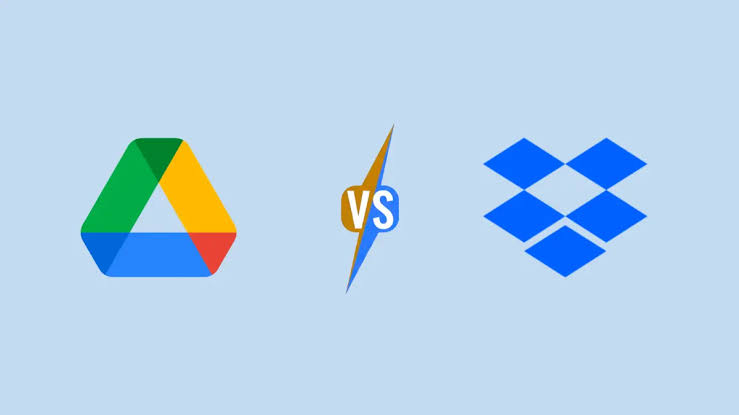
Two widely used plans are Dropbox Business and Google Drive for Business through Google Workspace. Both these plans allow team cooperation, file sharing, security, and cross-device access, but each has its own advantages. Knowing them will help you choose the most appropriate cloud storage.
Dropbox Business vs Google Drive for Business: Key Differences
Dropbox Business focuses mainly on file synchronization, sharing, organization, and workflows including large or diverse files. Google Drive for Business is part of Google Workspace, connecting cloud storage with tools such as Docs, Sheets, Slides, Gmail, Meet, and Chat.
| Feature | Dropbox Business | Google Drive for Business |
| Team storage | Centralized team storage with team folders | Shared drives and organization-level storage |
| File synchronization | Advanced sync technology designed for efficient file access | Automatic cloud syncing across devices |
| Large files | Designed for large files and professional workflows | Suitable for documents, media, and business files |
| Team collaboration | File sharing, comments, team folders, integrations | Real-time collaboration through Docs, Sheets, Slides and other Workspace apps |
| File organization | Team folders, sharing controls and workflow automation | Shared drives, folders, search and metadata controls |
| File recovery | Version history and recovery options vary by plan | Version history and recovery features vary by Workspace edition |
| Microsoft 365 integration | Strong integration with Microsoft 365 | Microsoft file compatibility alongside Google Workspace |
| Security and administration | Admin controls, sharing management and security features | Admin controls, encryption, sharing policies and security tools |
| Productivity ecosystem | Dropbox-centered workflow with multiple integrations | Integrated Google Workspace ecosystem |
| Best suited for | Teams managing large files and cross-platform workflows | Teams already using Google Workspace for daily work |
Dropbox Business Features for Team Collaboration
One of the major advantages of Dropbox Business is its focus on creating file-based collaboration straightforwardly. Teams store content centrally, create team folders, manage sharing, and access files across devices. Current Dropbox Business offerings also include administrative controls that allow companies to manage team settings, devices, external sharing, and team activity.
Another important advantage is file synchronization. Dropbox uses advanced sync technology, which can be particularly useful for teams working with large files. The platform also provides file recovery and version-history capabilities, helping teams restore earlier versions when files are accidentally changed or deleted.
For creative agencies, media teams, designers, architects, and other businesses that regularly exchange large files, these capabilities create Dropbox for business as a practical option. Dropbox also supports features such as password-protected links, advanced sharing settings, file transfers, PDF editing, and eSignature capabilities on eligible plans.
Google Drive for Business: Built Around Google Workspace
Google Drive for Business takes a broader productivity approach. Instead of functioning primarily as a standalone storage platform, Drive is integrated into Google Workspace. Teams can work with Docs, Sheets, Slides, Gmail, Meet, Chat, and other Workspace applications within the same ecosystem.
A major feature for organizations is Shared drives. Unlike personal files in My Drive, files stored in shared drives are owned by the organization. Team content remains available even when an employee leaves the company. Administrators also control how shared drives are created and managed.
Google Workspace also supports real-time collaboration, allowing multiple users to work on documents and leave comments or assign actions without repeatedly exchanging file attachments.
Security and Administration
Security is an important consideration when choosing business cloud storage. Dropbox provides administrative controls, encryption, team-management features, sharing controls, and recovery capabilities. Higher-tier offerings can add features such as single sign-on, audit logs, advanced key management, and additional security controls.
Google Workspace also provides administrative controls, encryption, verification, sharing management, and security features designed for organizations. Administrators can control external sharing and manage access to shared drives.
Which Cloud Storage Is Right for Your Team?
There is no single setup that works for every business. Teams that work extensively with large creative files require advanced file synchronization or collaborate across different applications required to examine Dropbox Business features closely. Firms who have already established their workflow systems using Gmail, Docs, Sheets, Meet, and other Google Workspace tools will find that Google Drive offers a more compatible ecosystem for their existing workflow systems.
When deciding whether to use the cloud storage services or not, businesses should check their file size, collaboration practices, current software, security concerns, administration issues, and recovery of files.
Conclusion
Once your company has established that Dropbox Business is the storage solution, a Dropbox reseller will help the task of choosing the right storage solution much simpler. A trusted Dropbox reseller will assist you in making the right choice in terms of your needs and requirements in deploying the product in the best possible way.