












The tech world is changing fast right now. You might hear everyone talking about AI laptops lately. These are not just your regular computers with a fancy name. They represent a massive shift in how we work and play. Traditional PCs served us well for decades. They helped us write documents and browse the web. But the demand for speed and smart features is growing. We need tools that can think with us.
AI laptops bring a new brain to the table. This brain handles complex tasks without breaking a sweat. It makes your daily life easier and faster. Understanding these shifts helps you choose the right tool for your future. Let us dive into the big changes waiting for you in this new hardware category.
Professional Hardware Comparison Table
| Feature Category | Traditional PC Architecture | Modern AI Laptop (Next-Gen) | Efficiency Gain |
| Core Silicon | Dual-Chip (CPU + GPU) | Triple-Chip (CPU + GPU + NPU) | Specialized Logic |
| Neural Performance | 0 to 10 TOPS | 40 to 55+ TOPS | 500% Increase |
| Memory Standard | DDR4 / DDR5 | LPDDR5x (High Bandwidth) | Reduced Latency |
| Power Management | Linear Scaling | AI-Driven Dynamic Scaling | 40% Less Waste |
| Security Module | Standard TPM | Microsoft Pluton + AI Shield | Hardware-Level |
| Audio Processing | Software Filters | Neural Voice Isolation | Studio Quality |
| Connectivity | Wi-Fi 6 | Wi-Fi 7 with AI Beamforming | Lower Ping |
1. The Integrated Neural Processing Unit (NPU)
The biggest change starts deep inside the hardware. Standard PCs use a Central Processing Unit or CPU. They also use a Graphics Processing Unit or GPU. An AI laptop adds a third advanced piece called a Neural Processing Unit or NPU that executes low-latency AI inference using specialized tensor acceleration, improving efficiency while reducing overall system power consumption. This part of the chip acts like a specialist for machine learning tasks.
Traditional PCs rely on the CPU or GPU for everything. This often slows down the machine when you try to run smart features. The NPU handles things like blurring your background in video calls. It also manages voice recognition and photo editing. This dedicated brain works much faster than a normal processor. It uses far less power, too. This means your computer does not get hot when you use smart tools.
Why the NPU Architecture Matters
The NPU allows your laptop to learn your habits over time. It predicts which apps you will open next. This makes the whole experience feel snappy and fluid. Your computer becomes a proactive partner rather than a reactive tool.
As per a write-up, AanNPU, or Neural Processing Unit, is a specialized processor designed to accelerate artificial intelligence and machine learning tasks. Unlike CPUs or GPUs, NPUs handle matrix and tensor operations used in neural networks.
2. Unprecedented TOPS for Local Intelligence
Speed in the AI world is measured in TOPS. This stands for Trillion Operations Per Second. A traditional PC might only have a few TOPS for these tasks. Modern AI laptops hit 40 TOPS or higher in performance. This is the minimum requirement for “Copilot+” class machines.
This power lets you generate images in seconds. You can translate languages in real time during a meeting. You can even summarize long documents instantly. These tasks would lag or freeze on a traditional machine. High TOPS scores mean the computer handles billions of math problems every second to understand your voice or face.
3. Revolutionary Battery Life and Thermal Efficiency
Battery life is a huge pain point for many users. Traditional PCs often drain quickly when doing heavy work. AI laptops manage power much better because of the NPU. This specialized chip is very efficient at small and repetitive tasks. It takes the load off the power-hungry CPU.
Efficient Energy Management Cycles
This allows the battery to last much longer during a workday. Some AI laptops now offer over 22 hours of use. That is a massive jump from the 8 or 10 hours we see on old models. You can work from a cafe all day without looking for a plug. The laptop also stays cool to the touch because the NPU generates very little heat compared to a GPU.
As per a comparison test, an AI laptop delivers 22–30 hours of everyday battery life, nearly doubling the 12–15 hours typical of standard laptops.
4. On-Device AI Processing for Maximum Privacy
Security is a major concern for everyone today. Traditional PCs often rely on the cloud for smart features. This means your data travels to a server far away. AI laptops do this work locally on the device itself. This keeps your personal files much safer.
When you use a voice assistant or edit a private photo, the data never leaves the laptop. This “Edge AI” is a changer for business professionals. You can process sensitive company data without worrying about cloud leaks. This shift makes the AI laptop the most secure personal computer ever made.
5. Advanced Semantic Search and Recall
Traditional PCs need you to remember file names and folder paths. AI laptops understand the context of what you want. You can ask the computer to find the document about the blue car from last month. It finds it in seconds without a specific name.
- Natural language file retrieval
- Instant photo content tagging
- Timeline-based memory recall
- Contextual app suggestions
This feature is often called “Recall.” It takes snapshots of what you do so you can go back in time. Traditional PCs simply cannot track and index information this deeply.
6. Proactive Security and Human Presence Sensing
These machines also use advanced sensors. The laptop can sense when you walk away from the screen. It locks itself instantly to protect your work. It also knows when you come back and unlocks without a touch.
The Security Guard on Your Screen
AI laptops use “Look-away Dimming.” If you turn your head to talk to someone, the screen goes dark to save power and hide your data. If the laptop detects someone standing behind you, it alerts you. Traditional PCs require manual locking and have no eyes for your surroundings.
Many AI laptops even come with a specialized Shield Mode that blurs the screen when someone tries to peek into your system.
7. Studio-Grade Neural Noise Isolation
Traditional PCs use basic filters for audio. They often fail to block out loud backgrounds. AI laptops use deep learning to isolate your voice. They remove the sound of barking dogs or sirens perfectly. This makes your professional calls sound much better.
The NPU processes your voice in real-time. It can even make it sound like you are in a professional recording studio. This happens without draining your battery or slowing down your video call software.
8. Generative Content Creation at the Edge
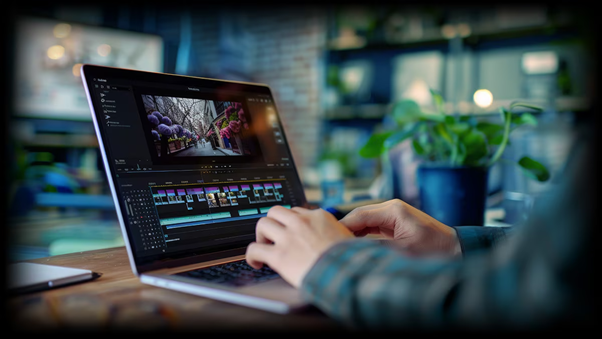
Creative professionals see the biggest gain here. Editing a 4K video becomes much smoother. The AI can track objects or remove noise automatically. This saves hours of manual work every single week.
On a traditional PC, you might wait minutes for an AI filter to apply. On an AI laptop, it happens instantly. You can generate art or rewrite paragraphs using local models like Llama or Stable Diffusion. This means you do not need a subscription to expensive cloud services to be creative.
As per a report by Gartner, in 2026, AI PCs overall will account for more than 55% of the total PC share, outperforming traditional PCs, marking a decisive shift toward on-device intelligence as the new standard for personal and enterprise computing.
- Contextual Assistance and Meeting Insights
An AI laptop acts as a dedicated personal assistant. It learns your voice and your writing style. It helps you draft emails that sound just like you. Traditional PCs just offer basic spell check and grammar tools.
During a video call, the laptop can transcribe everything said. It can even translate the person on the other side in real-time. At the end of the meeting, it gives you a list of key points and tasks. This allows you to focus on the conversation instead of writing notes.
10. Future-Proofing for the Modern Software Ecosystem
Buying a computer is an investment in your future. A traditional PC might feel slow in just two or three years. Software is moving toward AI very quickly. Apps like Photoshop and Premiere Pro already require NPU power for their best features.
Choosing an AI laptop ensures your tech stays relevant for a long time. It handles the next generation of software with ease. You will not have to upgrade your hardware as often. Developers are no longer building apps for just the CPU. They are building for the NPU.
Conclusion
The world is moving toward smarter and faster machines. Traditional PCs are great for basic needs but they lack the brainpower for tomorrow. AI laptops offer, er, speed and longer battery life and tighter security. They change the way we interact with the digital world. Get a partner who learns and grows with you. This is the biggest leap in personal computing in decades. If you want to stay ahead then the choice is clear. Pick a machine that can think as fast as you do.