
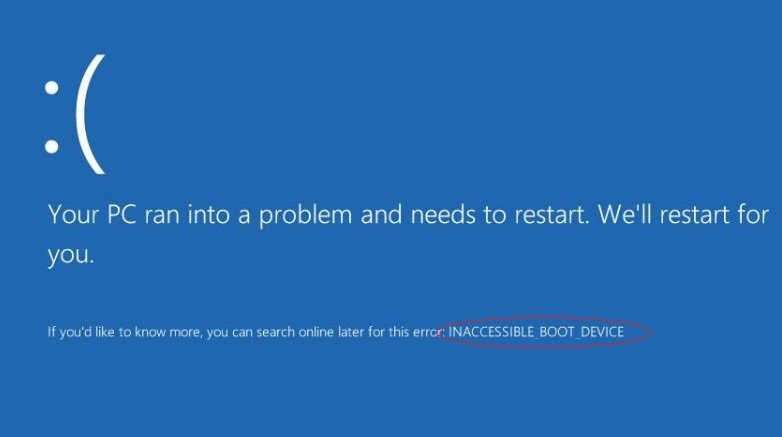
The “blue screen of death” (BSOD) message Inaccessible Boot Device on Windows 10 or 11 prevents Windows from booting effectively. It will occasionally refuse to let users boot into Windows anyway, which might be a little unsettling.
When Windows indicates the boot device isn’t accessible, what exactly does that mean?
A boot device, in general, is any component of hardware that stores or reads the data and drivers required for a computer to start. To start your windows pc, the operating system is normally loaded from the boot disc, which might be a hard disc, a USB drive, or a CD/DVD.
The inaccessible boot device warning warns the computer that it has encountered a problem and will need to restart to resolve it. If you see an Inaccessible Boot Device, it means your computer cannot access the Windows 11 partitions on the hard disk it boots from. This issue could result in a hard drive failure. It could be a simple driver issue or a failed boot record.
When Windows starts up, it may be unable to locate the system files on the memory partition. The Inaccessible Boot Device problem notice appears in Windows 11 and prevents your computer from booting.
However, repairing it isn’t difficult if you know what caused the Inaccessible Boot Device problem. It’s usually the outcome of updating something in your system, although it’s not always the case.
- The Inaccessible Boot Device issue in Windows 10/11 can arise due to incompatible or obsolete device drivers, corrupt system files, defective hardware, and other factors.
- To permanently resolve this issue, users may need to use system tools to restore damaged disc sectors.
- Inaccessible Boot Device and other BSOD problems can be resolved by updating device drivers.
- The System Restore function in Windows 11 is typically helpful in resolving the issue.
How to fix the Inaccessible Boot Device issue?
Remove the latest Windows 11 updates
- Start by clicking the Start button on the taskbar.
- Select the pinned Settings app from the Start menu.
- Go to the Windows Update tab.
- On that tab, choose Update history.
- Then select Uninstall updates from the menu.
- Click on the most recently installed update.
- Then select Uninstall from the menu.
Launch the Startup Repair program
- Click the Start menu button on the taskbar.
- Select the option for Power.
- Then, while clicking and holding the Shift key, choose the Restart option.
- Select the Troubleshoot and Advanced tabs.
- Choose Start-up Repair from the menu.
Update Hardware Drivers
- Select Device Manager by right-clicking the Start menu’s button.
- In Device Manager, check for hardware with yellow exclamation signs next to them.
- If you come across devices with a yellow exclamation sign, right-click on it and choose Update driver from the menu.
- Then, in the new window, select the option to scan automatically for updated driver software.
Even if there are no components with yellow exclamation signs, you should still update your graphics, audio, and network device drivers.
Reinstall Windows 11
- In Windows 11, go to Start, then Settings.
- On the System tab, click Recovery.
- Click the Reset this PC button.
- In the Reset this PC tool, select Save my files.
- Then select Local reinstall from the menu.
- To proceed, select the Next option.
- To confirm, click Reset.