
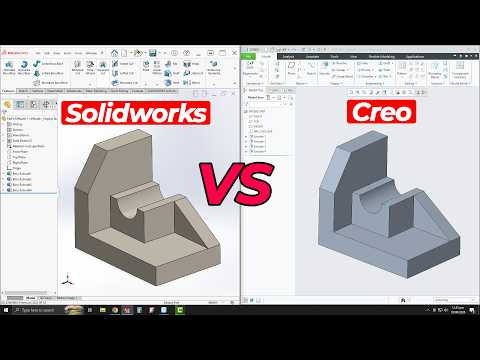
Choosing the appropriate 3D CAD software is important for businesses involved in product design, mechanical engineering, and manufacturing. Both Creo and SolidWorks are examples of CAD software used for designing 3D models, assemblies, and technical drawings. Although they both offer parametric design features, but varies in advanced features, user-friendliness, suitability for projects, and license options.
The Creo program, developed by PTC, is famous for its ability to deal with engineering and complex design products. As for SolidWorks, it was developed by Dassault Systèmes and used in mechanical and industrial machine designs.
Creo vs SolidWorks: Key Feature Comparison
Both Creo and SolidWorks provide effective CAD solutions, but the effectiveness depends on the complexity of the design and the needs of the engineering team.
| Feature | Creo | SolidWorks |
| 3D Modelling | Advanced parametric modelling | Parametric 3D modelling |
| Large Assemblies | Flexible for complex assemblies | Flexible for mechanical assemblies |
| Surface Modelling | Advanced surface design tools | Surface modelling tools |
| Ease of Use | More advanced learning curve | Easier for beginners |
| Engineering | Advanced design and engineering features | CAD with engineering options |
| Best For | Complex engineering projects | Mechanical and industrial design |
3D Modelling and Design
Creo provides advanced parametric modelling tools for creating detailed parts and complex products. Engineers can modify dimensions, features, and model relationships without recreating the entire design. This makes it suitable for businesses working on detailed engineering projects.
SolidWorks provides parametric modelling for detailed parts, assemblies, and technical drawings. Its straightforward interface helps design teams create and modify products efficiently. Creo is suitable for complex engineering designs, while SolidWorks is a practical choice for accessible 3D modelling.
Large Assembly Handling
Creo software is ideal for complex assemblies required for automotive, aerospace, and heavy engineering applications. Its design capabilities support projects involving many components and detailed product structures.
SolidWorks provides assembly management tools for mechanical design projects. However, businesses should evaluate performance based on assembly size, hardware, and project requirements. Creo is generally a strong choice for highly complex assembly projects.
Surface Modelling
Creo offers advanced surface modelling features for products with complex curves and shapes. These tools are useful for consumer product design, plastic components, and moulding applications.
SolidWorks also supports surface modelling for industrial and mechanical product development. Creo is a suitable option for businesses requiring advanced surface modelling.
Ease of Use and Learning Curve
The software is simpler to learn for users who are not very familiar with 3D modeling or are using the software for the first time.
Creo offers more powerful engineering tools but requires additional training before being used. The software is ideal for firms that value ease of use and simplicity in design processes.
Creo vs SolidWorks: Applications
Both software applications are used across engineering and manufacturing industries; however, their advantages make them applicable in various projects.
Creo applications:
- Automotive and aerospace product design.
- Complex mechanical assemblies.
- Consumer product development.
- Advanced surface modelling.
- Engineering and manufacturing projects.
SolidWorks applications:
- Industrial equipment design.
- Mechanical parts and assemblies.
- Product development.
- Technical drawings.
- Small and medium-sized engineering projects.
Businesses should select software based on design complexity, required features, and team experience.
Creo vs SolidWorks: Software Pricing and Licensing
Software pricing plays a crucial role when choosing CAD software. Price varies on the selected plan, features, licensing type, number of users, and subscription terms.
Creo Plans and License
Creo offers several design plans, such as Design Essentials, Design Advanced, Design Advanced Professional, Design Engineering, and Design Engineering Professional.
These packages provide various tools and features that can be used by engineers in the design process. Businesses should check the different plans that are available and decide which license to use depending on their requirements.
SolidWorks Plans and License
There are various packages in SolidWorks ranging from Standard to Professional and Premium. The plan offers varied features when it comes to CAD, engineering, and manufacturing.
It is recommended that organizations evaluate the available features and subscriptions before making purchases. SolidWorks is recommended to companies looking for accessible CAD software, but Creo is more suitable for those with engineering requirements.
Conclusion
Selecting the right CAD software will become easier with assistance from a trusted software partner. As an Wroffy authorized software reseller, Wroffy support businesses with licensing, choosing plans, purchasing, and other such assistance. Be it Creo for advanced engineering applications or SolidWorks for mechanical design, Assists in considering appropriate software for your business.